What Is a Hardware Wallet?

On this page
What Is a Hardware Wallet?
If you have ever worried that one wrong click could drain your crypto, you are not alone. Billions in digital assets have been lost to malware, phishing, and exchange hacks, often because private keys lived on internet-connected devices. Hardware wallets were created to fix exactly that.
In this guide, you will learn what a hardware wallet is, how it keeps your keys offline, how transactions are signed securely, and the right way to set one up. Along the way, we will cover common mistakes to avoid and when a hardware wallet makes sense for you, building on the basics from our beginner's guide to how to store your cryptocurrency.
By the end, you will understand how to use a hardware wallet with confidence, from daily spending to long term cold storage, without falling for the scams that trip up new users.
Hardware Wallet, Defined
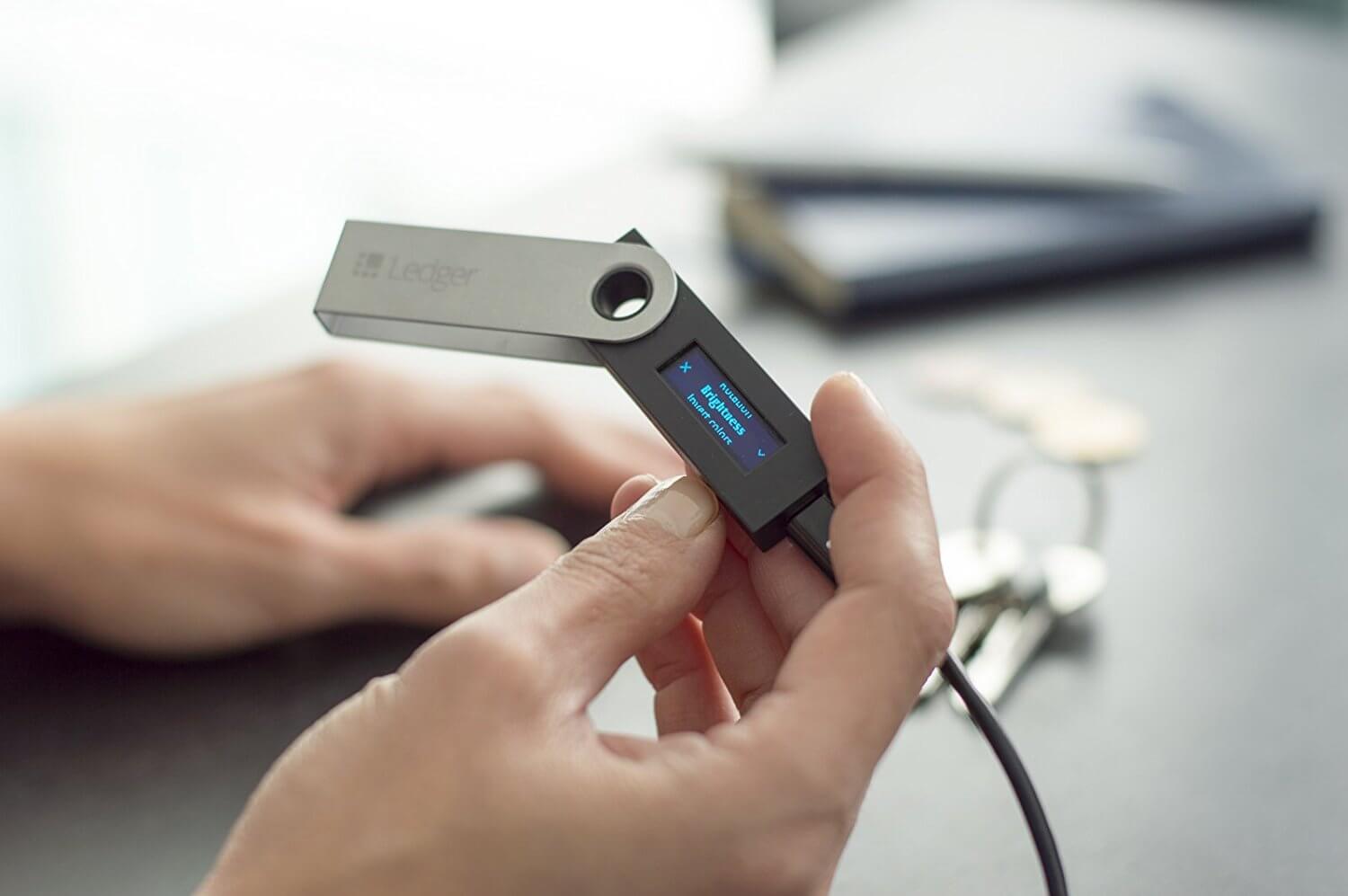
A hardware wallet is a dedicated, tamper-resistant device that stores your private keys offline and signs transactions in an isolated environment. Think of it as a locked signature device. Your crypto does not live on the wallet itself - it always lives on the network, such as Bitcoin or Ethereum. What the device protects is your authorization to move those coins by keeping the private keys disconnected from your phone and computer.
This approach solves a core risk of hot wallets on laptops and phones. Malware, keyloggers, or a hidden browser extension can steal keys stored or used online in seconds. With a hardware wallet, the private keys never leave the device. When you want to send funds, your computer passes a prepared, unsigned transaction to the device; the device shows the details on its screen; you confirm with a physical button; the device signs internally and returns only the signature. Your computer then broadcasts the signed transaction to the network.
Most modern devices generate a 12, 18, or 24 word recovery phrase during setup - also called a seed phrase. That phrase is the master backup of your keys. If the device is damaged, stolen, or lost, you can recover your funds on a new compatible wallet using the same phrase. If someone else learns your phrase, they can take everything. For a deeper primer on backup words, read What Is a Seed Phrase?.
How Hardware Wallets Work Under the Hood
Under the hood, most wallets follow the BIP39 and BIP32 standards introduced in 2013 and 2012 respectively. BIP39 defines how those 12-24 words map to a master key; BIP32 defines how child keys for different accounts and coins are derived. That is why one recovery phrase can control addresses across multiple chains, from Bitcoin to Ethereum and many altcoins.
When you create a transaction on your computer, you are assembling inputs and outputs (on Bitcoin's UTXO model) or specifying a nonce, recipient, and value (on account-based networks like Ethereum). The unsigned transaction is sent to the hardware wallet over USB or Bluetooth. The device displays the essentials on its screen - recipient address, amount, and fee - so you can verify with your eyes. If you approve, you press a physical button. That button press confirms to the secure element that you intend to sign. The device then performs cryptographic signing inside its isolated chip and returns a signature. Your computer cannot access the private keys.
Two technical features increase safety in practice:
- Many devices include a secure element chip rated for tamper resistance. The goal is to make extracting secrets physically extremely hard, though not impossible.
- Transaction prompts and address checks happen on the device's own display, not your computer's. Even if your PC is compromised, you can still verify the destination before you sign.
On Bitcoin, you may encounter Partially Signed Bitcoin Transactions (PSBTs), which allow you to move unsigned transactions between tools without exposing keys. On Ethereum, wallets warn about blind signing - approving complex smart contract calls that are not clearly human readable. Blind signing raises risk because a malicious contract call can look innocuous. Good hygiene means using wallets and interfaces that provide clear decoding and never approving data you do not understand. If you want a refresher on costs, see What Are Gas Fees?.
Historically, Bitcoin's 2009 launch by Satoshi Nakamoto kicked off the need for better key security. As larger values went on-chain, dedicated devices appeared in the mid-2010s and improved steadily with better chips, open source firmware, and features like passphrases. On the Ethereum side, the rise of DeFi in 2020 made hardware wallets a default choice for serious users who interact with smart contracts daily.
Why Hardware Wallets Matter: Threat Models, Trade-offs, and Timing
Hardware wallets are not magic force fields. They mitigate specific threats and leave others untouched. They neutralize most malware that targets clipboard addresses or steals keys from browser extensions because the keys never leave the device. They also give you an out-of-band screen to confirm a destination, so a compromised PC has a harder time tricking you.
What they do not prevent is you sending funds to a scammer, signing a malicious contract call you do not understand, or losing your backup phrase. Social engineering remains the number one attack. Phishing emails and fake customer support accounts still trick experienced users into sharing recovery phrases. If you ever type a phrase into a website or mobile app, assume funds will be stolen. Our guide to crypto scams covers the red flags to watch.
The devices themselves can also fail. In July and August 2026, attackers drained roughly 1,816 BTC - close to $116 million - from more than 5,200 addresses secured by Coldcard hardware wallets. No one touched the hardware. A build configuration error in a March 2021 firmware release had made seed generation fall back to a weak software random number generator instead of the device's hardware entropy source, cutting effective key strength from 128 bits to as little as 40 bits on some models. That is low enough to reconstruct offline with ordinary computing power, so anyone who generated a seed on an affected device in that window had to treat it as compromised and migrate to a new one. The lesson is not that hardware wallets are pointless; it is that they are software too, so firmware provenance, update discipline, and a plan for rotating seeds all matter.
There are trade-offs. A device adds steps to every send, and managing a paper or metal backup requires care. You will also juggle firmware updates, which must be done correctly to avoid bricking the device. For people who move coins daily, a split approach often works best: a hot wallet with small balances for spending and a hardware wallet for long term storage.
Setting One Up Safely: A Practical Walkthrough
Setup is where most people either build a robust foundation or create silent vulnerabilities. Unbox the device yourself, check seals and serials, and plug it into an official app from the manufacturer - never a link from social media or a search ad. The device will generate a new 12-24 word recovery phrase. Write it down by hand as it appears, in order, on the device screen. Do not take photos, do not store in cloud notes, and do not type it into any website. Consider using a steel plate for fire and water resistance.
Next, choose a strong PIN on the device. That protects you if someone finds or steals the wallet. Many devices support an additional passphrase - sometimes called a 25th word - which creates a hidden wallet under the same recovery phrase. This adds security but increases complexity. If you use a passphrase, write that down and store it separately. Without it, recovery will not work even with the 24 words. For sending funds safely after setup, follow the habits in How to Send and Receive Crypto Safely.
When you first receive funds, do a small test transaction. Verify the deposit address on the device screen before copying it. Send the smallest viable amount, confirm arrival on-chain, then move the larger sum. On Ethereum, consider approving limited token allowances so that dApps cannot move unlimited tokens from your address. In DeFi, always double check contract addresses and, when possible, prefer interfaces that decode contract calls clearly. If you plan to use decentralized exchanges, our primer on What Is a DEX? will help you understand how orders and approvals work.
Hardware Wallets vs. Hot Wallets vs. Custodial Accounts
No single wallet fits every goal. Hot wallets on phones and browsers excel at convenience but increase exposure because keys touch internet-connected systems. Hardware wallets raise friction slightly but lower online risk drastically. Custodial accounts on exchanges remove key management entirely but replace it with platform risk and policy controls.
For people mostly buying, selling, and swapping on centralized platforms, custodians can be simpler. You can purchase crypto on Coinbase, Binance, or Kraken and keep small balances there for trading. Just remember - if you do not control the keys, you depend on the company's security and solvency. Our overview of understanding crypto exchanges explains order types, custody, and risk controls so you can choose a mix that fits your goals.
A common pattern is the 80-20 rule: keep 80 percent of long term holdings on a hardware wallet and 20 percent liquid on an exchange or hot wallet for opportunities. If you are brand new, our Crypto for Beginners guide can help you decide when to transition from exchange custody to self-custody confidently.
Real-World Scenarios: What Can Go Right or Wrong
Case study 1 - Phishing fails: Claire received a slick email claiming a critical firmware update. The link led to a fake update page that asked for her 24 words. Because she had practiced never typing her phrase into a computer and only updating from the official app, she closed the tab. Her device later prompted a legitimate update through verified channels, and her funds stayed safe. The simple rule she followed - the device generates the words, the device verifies transactions, and the words are never typed anywhere - prevented a total loss.
Case study 2 - Backup pays off: Malik's apartment flooded. His device was destroyed, but he had stored his 24 words on a steel plate in a different location and had noted a passphrase in a sealed envelope at a third site. He bought a new wallet, entered the 24 words and passphrase on the device, and his balances reappeared. The extra hour he invested in resilient backups protected years of savings.
Advanced Features: Multisig, Passphrases, and Inheritance
As your holdings grow, you may outgrow a single signer. Multisignature on Bitcoin or smart contract-based multisig on Ethereum can require 2-of-3 approvals, splitting risk across multiple devices or trusted parties. It is more complex but makes a single lost device less catastrophic. Another upgrade is a passphrase that creates additional hidden accounts under your recovery phrase. This helps in duress scenarios but demands strict documentation to avoid an accidental lockout.
Do not forget inheritance. If you want assets to reach loved ones, you need an intentional plan. Document device models, recovery words, passphrases, and simple step-by-step instructions in language a non-technical executor can follow. Store copies in separate, secure locations. Our guide on what happens to crypto when you die outlines legal and practical steps so your plan survives real life.
Common Mistakes and Quick Answers
New users tend to repeat a handful of errors. Keeping them in mind will save you money and stress.
- Typing the Recovery Phrase Anywhere: If you type your 12-24 words into a website or app, assume funds will be stolen. Recovery phrases belong only on the device during restore.
- Blind Signing Complex Transactions: Approving opaque data can grant unlimited token permissions or trigger malicious contract calls. Use interfaces that decode clearly and verify on the device screen.
- Not Verifying Addresses on the Device: Malware can swap clipboard addresses. Always confirm the recipient on the device display before you send.
- Poor Backups or Single Location Storage: Paper in a desk drawer invites fire, water, and theft risk. Use durable backups stored in at least two secure, separate locations.
- Skipping Small Test Sends: A single small test can reveal network, address, or UI mistakes before you move a large amount.
And the questions beginners ask most:
- Can a hardware wallet be hacked? Physical and software attacks exist, as the Coldcard case showed, but keeping keys offline and verifying on the device removes the vast majority of everyday threats. Your own behavior remains the biggest factor.
- What if I lose the device? With your 12-24 words and any passphrase, you can restore on a new device. Without them, funds are irrecoverable.
- Do I still pay network fees? Yes. Fees apply normally because your transaction still settles on-chain, exactly as it would from any other wallet.
- Are hardware wallets only for pros? No. If you can follow a few rules and keep track of a backup, the workflow becomes routine in a day or two.
Conclusion: Take Control of Your Keys With Confidence
A hardware wallet moves your most important secret - your private keys - off the internet and into a device designed for one job. It will not stop scams, but it dramatically reduces the risk that a compromised laptop or browser drains your coins. With a careful setup, resilient backups, and steady habits, you can self-custody with the same calm you bring to online banking.
Your next steps are simple. If you plan to hold for months or years, pick a reputable model, generate a fresh recovery phrase, store it securely, and start with a small test deposit. If you are still weighing options, decide what balance of convenience and control fits how often you actually move funds. The learning curve is real but manageable, and the peace of mind is worth it.
*Disclaimer: The information provided here is for informational purposes only and does not constitute financial advice. Cryptocurrency trading involves risks, so please DYOR. For beginners, check out our Beginners Guides to learn more.